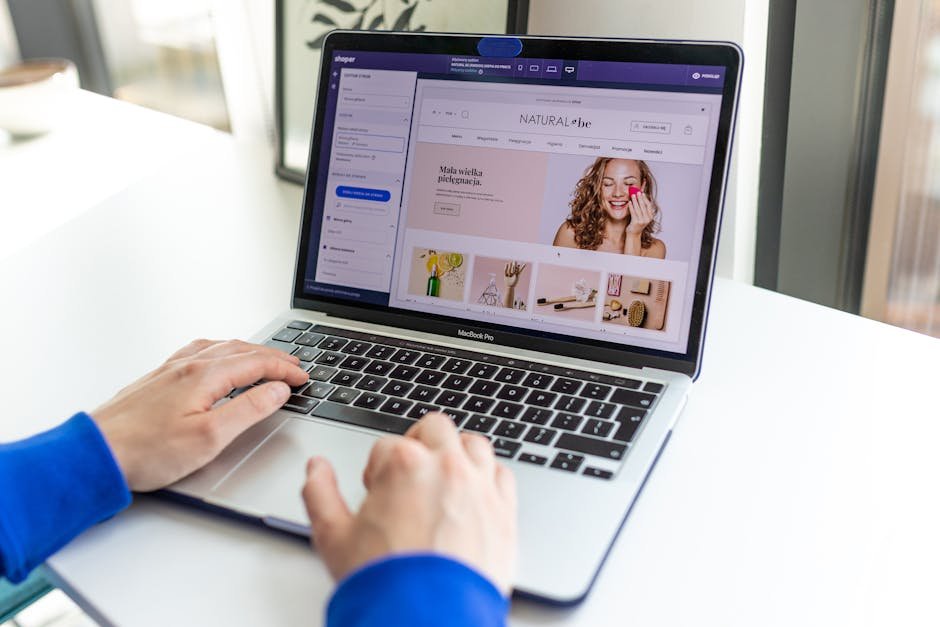
Finding the best website builder for freelancers in 2026 can be a daunting task, given the plethora of options available. As a freelancer, your website is more than just a digital business card; it’s your portfolio, your shopfront, and often the first impression potential clients will have of you. So, which website builders stand out in 2026 for freelancers looking to create professional, efficient, and visually appealing websites?
In this review, we’ll explore a variety of website builders, examining their strengths, weaknesses, pricing, and suitability for different types of freelancers. Whether you’re a designer, writer, marketer, or developer, there’s an option that suits your needs. Let’s get started with a comparison table that highlights key features and starting prices.
| Feature | Squarespace | Wix | WordPress.com | Weebly | Webflow | Zyro | Strikingly |
|---|---|---|---|---|---|---|---|
| Starting Price | $16/month | $14/month | $4/month | $12/month | $12/month | $2.90/month | $8/month |
| Ease of Use | High | Medium | Medium | High | Low | High | High |
| Templates | 100+ | 500+ | 100+ | 50+ | 40+ | 20+ | 10+ |
| Customization | Medium | High | High | Medium | Very High | Medium | Low |
| E-Commerce | Yes | Yes | Yes | No | Yes | Yes | No |
| SEO Tools | Good | Excellent | Excellent | Good | Good | Basic | Basic |
| Customer Support | 24/7 Chat | Phone & Chat | 24/7 Chat | Email & Chat | Email & Chat | ||
| Free Plan | No | Yes | Yes | Yes | No | Yes | Yes |
Squarespace: The Designer’s Choice
Squarespace has long been revered as a top choice for creatives, particularly designers and photographers. Known for its beautiful, award-winning templates, Squarespace allows freelancers to build visually stunning websites without needing extensive coding knowledge. This platform excels in delivering high-quality aesthetics that appeal to a visually discerning audience.
One of the major draws of Squarespace is its ease of use. The drag-and-drop interface is intuitive, making it possible for users to create a polished website quickly. This is particularly beneficial for freelancers who may not have the spare time to learn more complex tools. However, while the customization options are adequate, they might not satisfy users who require deep customization capabilities.
Squarespace’s pricing begins at $16/month, which is relatively affordable given the quality of the templates and the features provided. The platform offers strong e-commerce capabilities, making it a favorable choice for freelancers looking to sell products or services directly through their site. That said, Squarespace does not offer a free plan, which might be a deterrent for those looking to test the waters before committing financially.
For more on website building strategies and insights, check out Software Trail where you can find detailed reviews and guides.
Alex’s Rating: 8.7/10 — Excellent templates and ease of use, but limited deep customization.
💡 Pro Tip
Pair Squarespace with NordVPN to ensure your data remains secure while managing your site from public Wi-Fi.

Wix: The Customization King
Wix stands out for its flexibility and extensive customization options, making it a fantastic choice for freelancers who want total control over their website’s design. With over 500 templates available, Wix caters to a wide array of industries and personal styles, allowing users to create truly unique websites.
Despite its high level of customization, Wix maintains an easy-to-use interface. This balance between flexibility and usability is what makes Wix a popular choice among both beginners and seasoned web designers. The platform offers a free plan, which is ideal for freelancers who want to experiment with the builder before deciding on a paid plan. Pricing for premium plans starts at $14/month, providing a budget-friendly option.
Wix’s SEO capabilities are another strong point, with a suite of tools designed to help freelancers get noticed on search engines. However, the sheer amount of options can be overwhelming for some users who prefer a more guided approach. It’s worth noting that while Wix offers e-commerce capabilities, it might not be as robust as specialized e-commerce platforms.
For freelancers keen on automating workflows, integrating Wix with Make.com can be a game-changer, allowing seamless connections with other tools and services.
Alex’s Rating: 8.9/10 — Outstanding customization and SEO tools, but the abundance of options might overwhelm new users.
“Wix offers over 500 customizable templates, catering to various industries and personal styles.”
WordPress.com: The Blogging Powerhouse
WordPress.com remains a powerhouse for freelancers who prioritize blogging and content-heavy websites. Its robust blogging tools make it the go-to platform for writers, journalists, and bloggers. While WordPress.com is often seen as a blogging platform, it has evolved to support a variety of website types.
One of the most appealing aspects of WordPress.com is its cost-effectiveness. With a starting price of just $4/month for the personal plan, it is one of the most affordable options for freelancers. This plan includes a custom domain, email support, and access to dozens of free themes.
However, the trade-off for the low price is a steeper learning curve compared to more drag-and-drop focused builders like Wix or Squarespace. The customization options are extensive, but they require a bit more technical know-how. For those willing to invest the time, WordPress.com offers unparalleled flexibility and control.
For freelancers interested in more advanced automation and integration capabilities, the team at Automation Trail provides insights into optimizing workflows with WordPress.com.
Alex’s Rating: 8.5/10 — Excellent for blogging and content management, but a steeper learning curve may deter some users.
⚠️ Watch Out
WordPress.com’s vast customization can be daunting. Consider a developer’s assistance if you plan to implement complex functions.
Weebly: The Simplicity Specialist
Weebly is known for its straightforward, user-friendly interface that appeals to freelancers who prefer simplicity. It offers a drag-and-drop functionality that allows users to build websites quickly without compromising on quality. Weebly is an excellent choice for freelancers who want to establish an online presence without the complexity of more feature-rich platforms.
With pricing starting at $12/month, Weebly is a competitively priced option for freelancers. It provides a variety of templates that, while not as extensive as Wix or Squarespace, are sufficient for creating professional-looking websites. However, Weebly lacks the
Test everything. Trust nothing. — Alex
Ready to Level Up?
Join Freelancer Trail’s community of smart freelancers who’ve ditched the fluff and found tools that actually work. Get expert reviews, honest comparisons, and practical guides — all designed to save you time and money. Grab the complete AI Tools Playbook here — it’s the shortcut to finding tools that fit your workflow, not the other way around.
Explore More on the Trail Network
Discover expert guides across our sister sites: AI Tool Trail for AI tool reviews, Software Trail for SaaS reviews, Automation Trail for workflow optimization, Remote Work Trail for distributed teams, Creator Trail for content creators, EdTech Trail for online learning, and Side Hustle Trail for entrepreneurship.
Recommended Tools We Use
Here are the tools the Trail Network team relies on every day: Make.com for workflow automation, NordVPN for online security, Tidio for customer support, B12 for website building, AccuWebHosting for reliable hosting, and Pictory for video creation.

Hey, I’m Alex — a creator tool obsessive who tests every platform so you don’t have to. Honest reviews, zero BS.
Leave a Reply